
If you're building or using a crypto trading bot, connecting it to Binance via API is the first critical step. The Binance API lets your bot read market data, check balances, and execute trades automatically — all without giving away your account password.
In this guide, we'll walk through everything you need to know about Binance API: what it is, how to create your API keys, how to configure security properly, and how to connect it to a trading bot like Bearproof.
What Is the Binance API?
The Binance API (Application Programming Interface) is a set of endpoints that allows external applications to interact with your Binance account programmatically. Instead of manually clicking buy/sell on the Binance app, your trading bot can:
- Read market data — real-time prices, order books, trading volume
- Check account balances — see how much USDT, BTC, or other assets you hold
- Place orders — market orders, limit orders, stop-loss orders
- Manage portfolios — track positions, set up recurring buys (DCA)
The API uses REST endpoints for most operations and WebSocket streams for real-time data. No need to be a developer — most trading bot platforms handle the technical side for you.
Why Use Binance API with a Trading Bot?
Manual trading has limits: you can't watch charts 24/7, emotions cloud judgment, and reaction speed matters in volatile markets. A trading bot connected via Binance API solves these problems:
- 24/7 automation — bots never sleep, so you never miss a trade setup
- Emotion-free execution — the bot follows your strategy mechanically
- Speed — API orders execute in milliseconds
- Backtesting — test strategies on historical data before risking real money
Platforms like Bearproof make this even easier by combining Binance API integration with pre-built strategies, referral income tracking, and a dashboard that shows everything in one place.
Step 1: Create Your Binance API Key
- Log in to Binance — go to
binance.comand sign in to your account - Navigate to API Management — hover over your profile icon (top right) → select API Management
- Click "Create API" — give your API key a label (e.g., "Bearproof Bot")
- Complete security verification — enter your 2FA code (Google Authenticator or SMS)
- Copy your API Key and Secret Key — the secret key is shown only once, so save it securely
Step 2: Configure API Permissions
Binance lets you control what each API key can do. For a trading bot, you typically need:
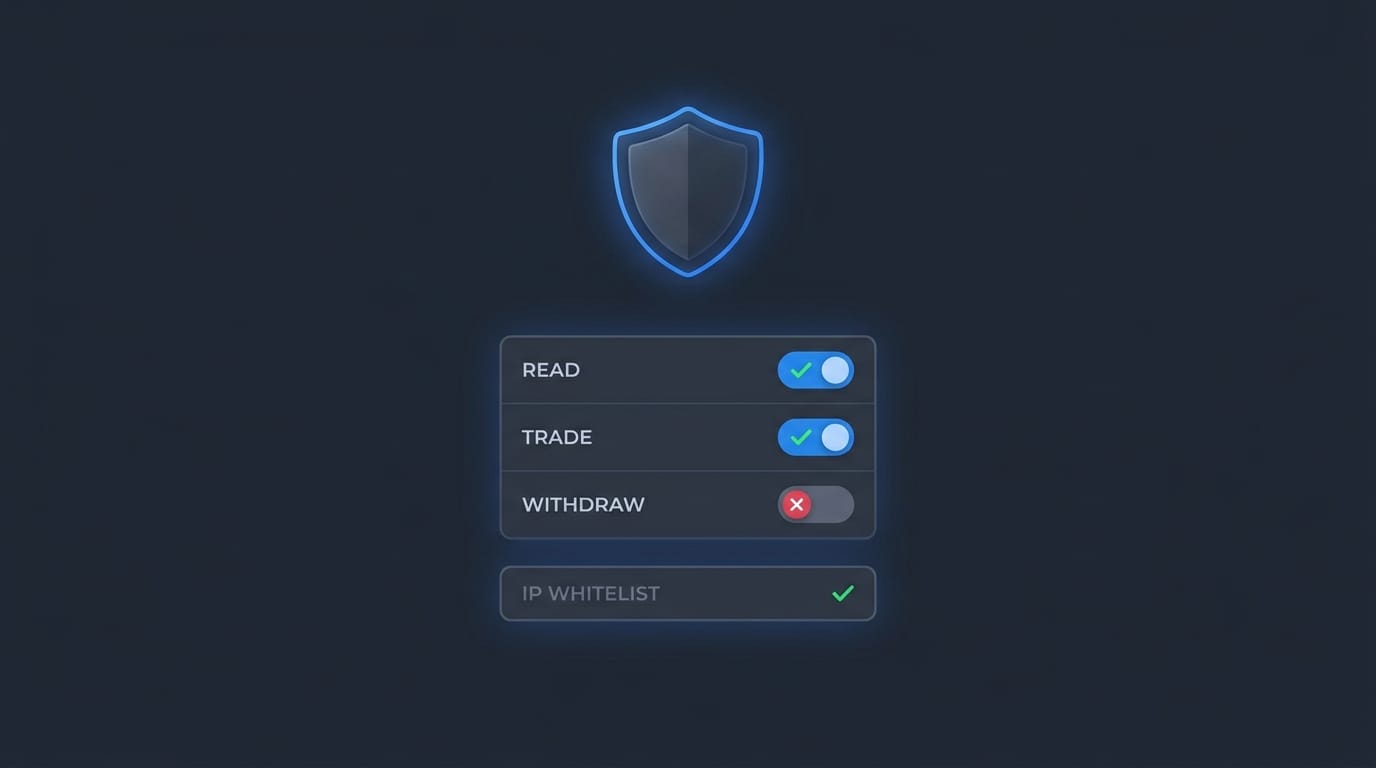
- Enable Reading ✅ — allows the bot to view your balances and market data
- Enable Spot & Margin Trading ✅ — allows the bot to place buy/sell orders
- Enable Futures ✅ (optional) — only if you trade futures
- Enable Withdrawals ❌ — NEVER enable this for a trading bot. This prevents the bot (or anyone who gets your key) from withdrawing funds
 Connect Your Binance API to Bearproof →
Step 3: Set Up IP Whitelist (Recommended)
For maximum security, restrict your API key to specific IP addresses:
- Find your bot's server IP (your hosting provider can help)
- In Binance API Management, click Edit on your API key
- Add the IP address to the IP access restrictions field
- Save — now only requests from that IP can use your API key
This is an extra layer of protection. Even if someone steals your API keys, they can't use them from a different IP.
Step 4: Connect to Your Trading Bot
Once you have your API Key and Secret Key, connecting to a bot platform is straightforward:
- Open your bot dashboard (e.g., Bearproof, 3Commas, Pionex)
- Find the API connection section — usually under Settings or Exchange
- Paste your API Key and Secret Key
- Test the connection — the bot should show your Binance balance if successful
- Activate your strategy — choose a pre-built strategy or configure your own
Binance API Rate Limits You Should Know
Binance enforces rate limits to prevent abuse. Understanding these helps your bot run smoothly:
- Request weight limit — 6,000 per minute for most endpoints
- Order rate limit — 10 orders per second, 100,000 per day
- WebSocket connections — max 1,024 streams per connection
Well-built bots like Bearproof handle rate limiting automatically, so you don't have to worry about getting banned.
Common Mistakes to Avoid
- Sharing your secret key — never paste it in chat, email, or public forums
- Enabling withdrawal permission — keep this OFF for all trading bots
- Skipping IP whitelist — takes 2 minutes to set up, saves you from major headaches
- Using the same API key everywhere — create separate keys for different bots/services
- Not monitoring your API usage — check Binance API Management regularly for suspicious activity
Frequently Asked Questions
Is Binance API free to use?
Yes. Binance does not charge for API access. You only pay standard trading fees when the bot places orders.
Can a trading bot withdraw my funds?
Not if you've disabled the withdrawal permission on your API key. This is enforced by Binance, not by the bot software.
Do I need to know coding to use Binance API?
No. Platforms like Bearproof handle all the API integration. You just paste your keys and choose a strategy.
What's the difference between Binance API and Binance API Secret?
The API Key is like your username — it identifies your account. The API Secret is like your password — it signs your requests. Both are needed, but the Secret should never be shared.
Conclusion
Setting up Binance API for a trading bot takes less than 10 minutes. The key steps: create your API key, disable withdrawals, enable trading, set up IP whitelist, and connect to your bot platform.
If you want a hassle-free way to automate your crypto trading with Binance API, try Bearproof — it handles the API connection, strategy execution, and even referral income tracking in one dashboard.
Get Started with Bearproof →